Deler
Parts requests and orders for plumbing teams.
Deler lets workers request parts from their phones and gives project leaders a web dashboard for reviewing requests. Project leaders can adjust quantities, approve requests, and prepare orders to copy or export for a supplier.
I work as a plumber, so I’ve kept the request process short: find the part, choose a quantity, and send it. The project leader handles the review and ordering details.
- My role: Independent product development across the web, mobile apps, and shared backend.
- Platforms: Web, iOS, and Android.
- Built with: React, Next.js, TypeScript, Supabase (PostgreSQL), and Stripe. Native apps: Swift (SwiftUI) and Kotlin (Jetpack Compose).
- deler.app
Requesting parts
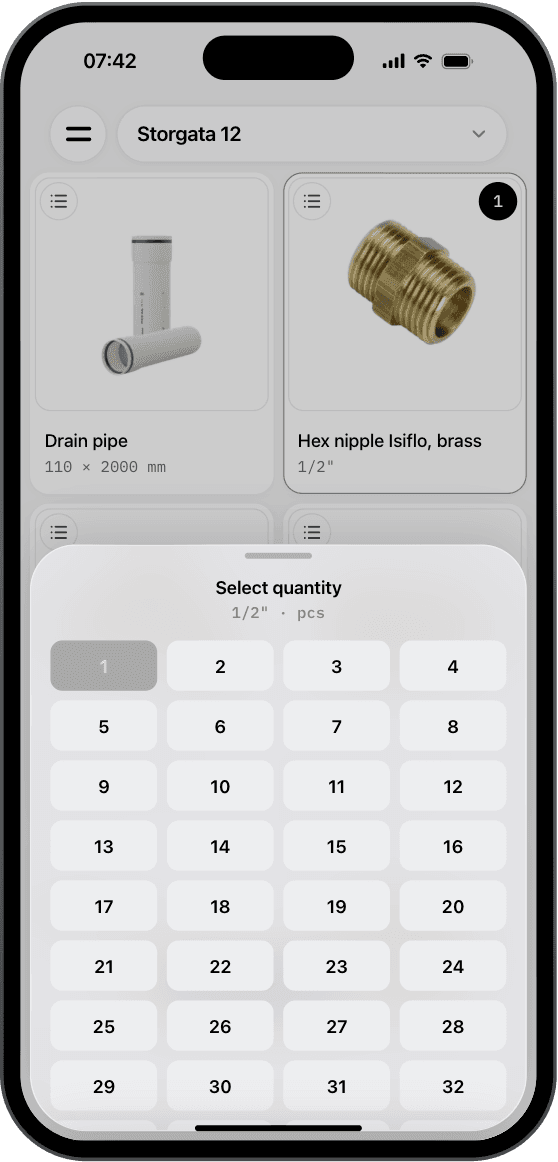
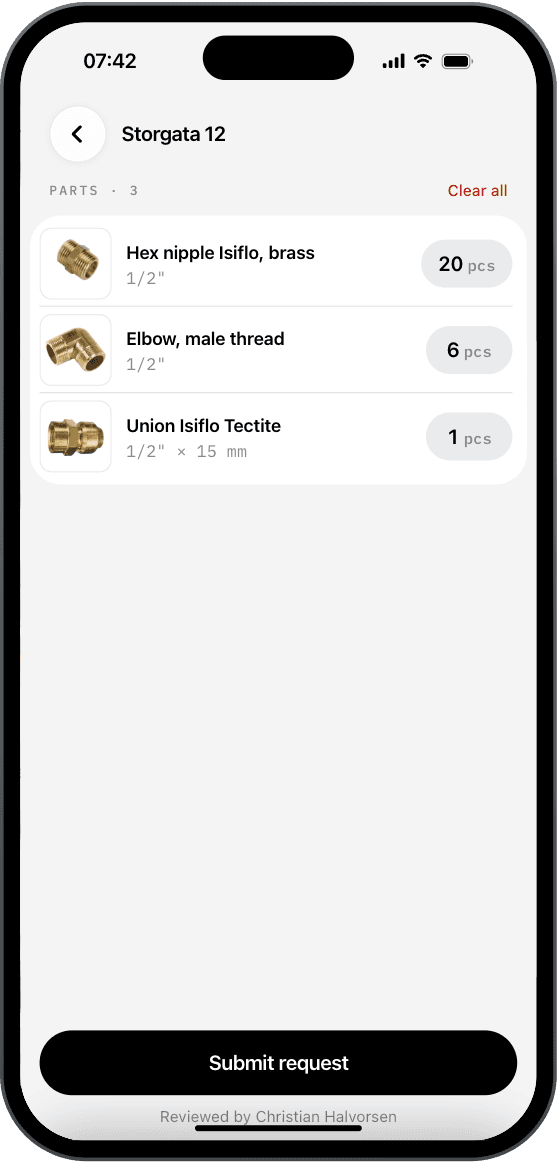
- Tap a part to add it, then tap its quantity to change it.
- Choose a quantity from the grid without opening the keyboard.
- Workers request the amount they need. The project leader can adjust it before ordering.
- Review the list and send it. The reviewer’s name appears below the button.
A worker selects parts and submits a request. Screenshots use demonstration data.
Reviewing a request
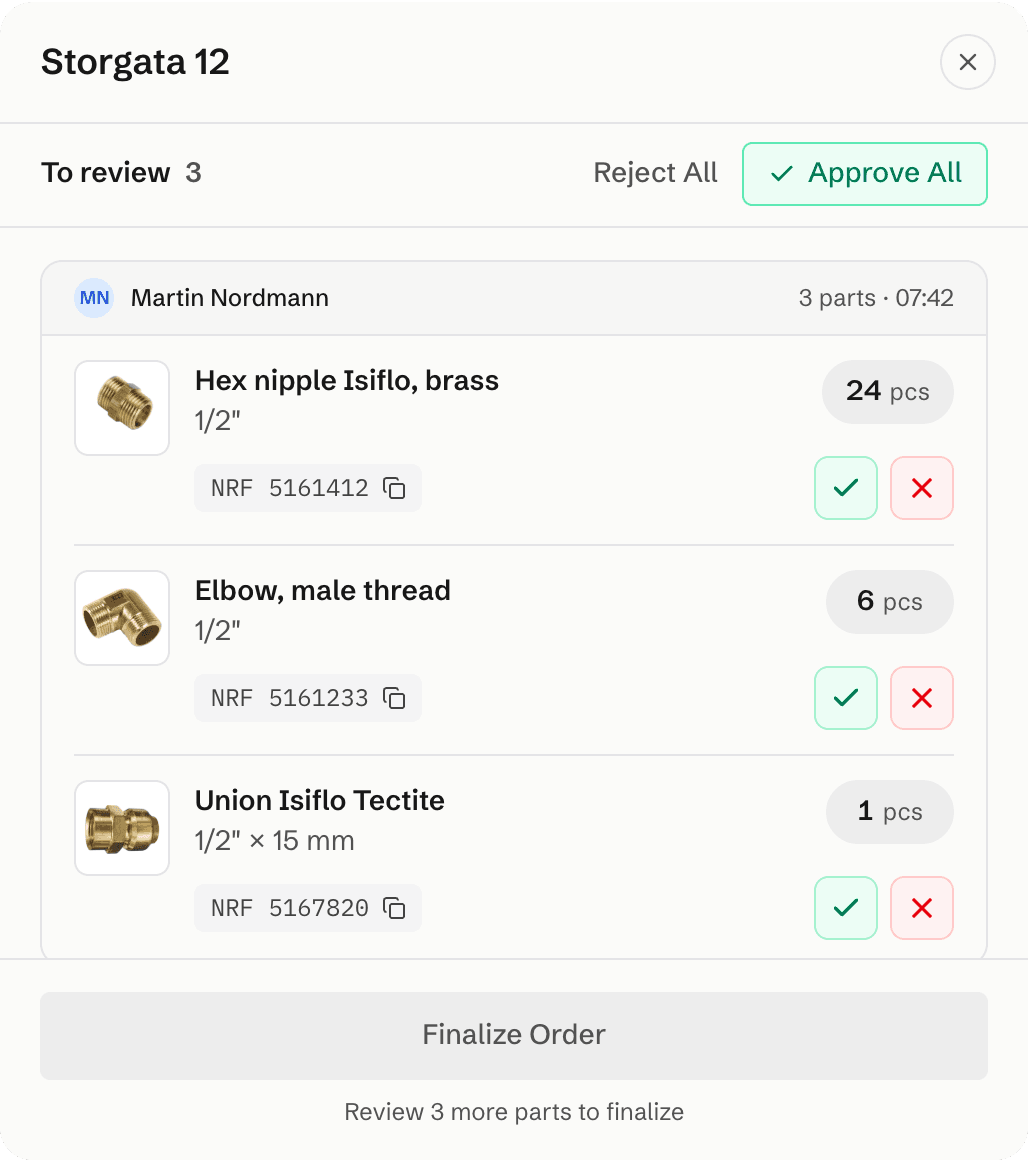
- Requests show who sent them and when.
- The project leader can change quantities before approving. Deler records who made the change.
- NRF product numbers help identify the parts when ordering from Norwegian suppliers.
The project leader reviews the request in the web dashboard.
Preparing an order
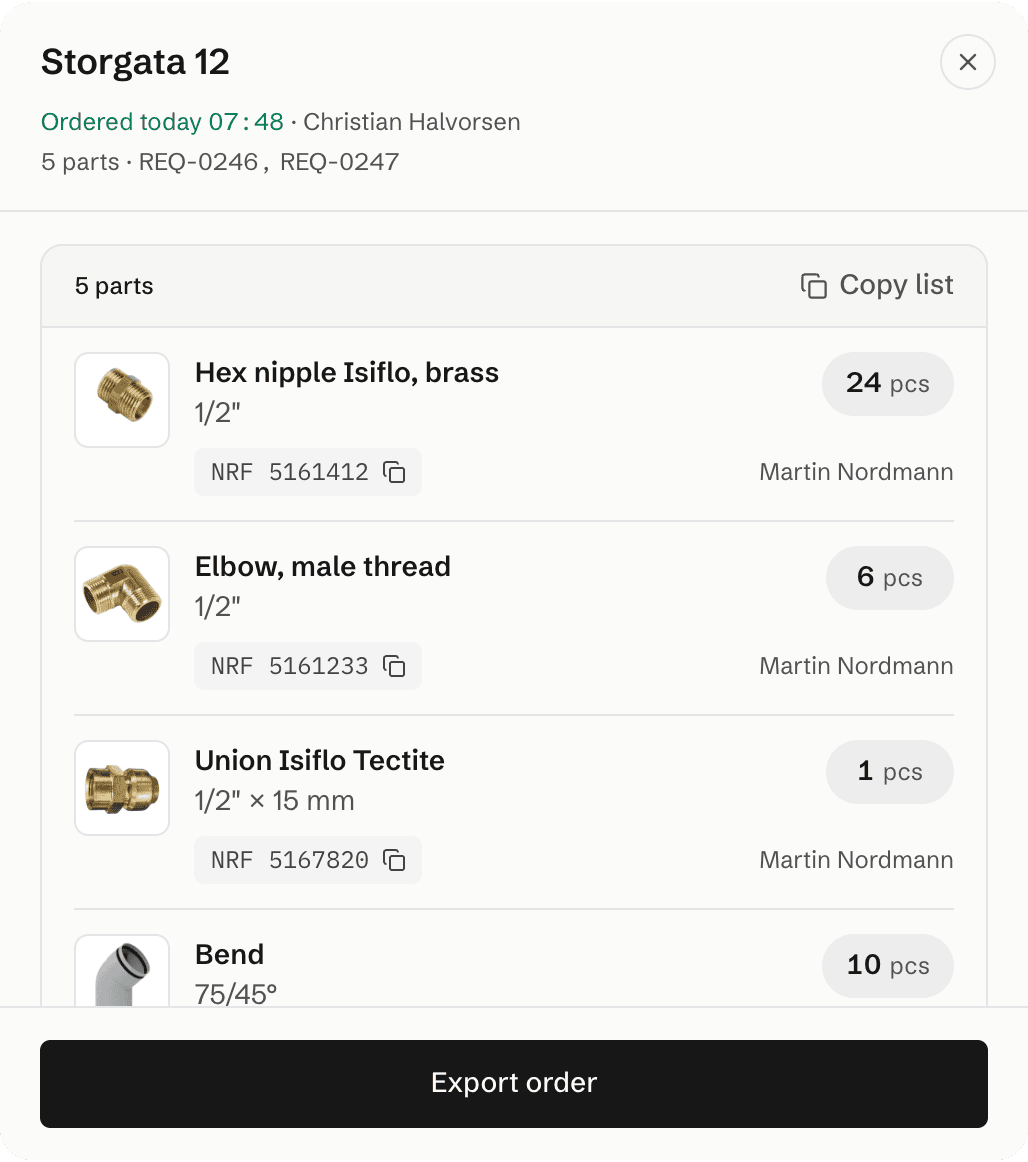
- Approved requests can be combined into one order.
- Copy the parts list, including NRF numbers.
- Export the order to send to a supplier.
An order prepared from two separate requests.
A shared backend
The web, iOS, and Android apps share a PostgreSQL backend for requests, approvals, and orders. Database functions handle the common rules, and permissions control which projects and records each person can access.
Keeping orders up to date
The Orders view uses Supabase Realtime to refresh when requests and orders change. Related database events are grouped into a refresh, avoiding a separate reload for every event.